
Koh AU logo
Koh AU logo

All articles

Can I update the email address on my account?Updated 13 hours ago

TL;DR: For security, we can't update the email tied to your Koh account. If you've moved to a new email, the path is to delete the old account (self-service if you can sign in, via our team with verification if you can't), then sign up fresh on the new email.


Read on ↓

Can I update the email address on my account?

No, Koh can't update the email address on an existing account. The email is the verified identity tied to your account, your order history, your Koh Perks balance, and your subscription preferences. Rewriting it on request would create a security risk for account takeover. The path forward is to delete the old account and create a new one on the email you want to use. If you can still sign in to the old account, you can delete it via the self-service flow in your account settings. If you can't sign in (the email is no longer active), contact our team with verification details and we'll delete it for you.

⚠ Email changes aren't supported

The email on your Koh account is the verified identity tied to your order history, account preferences, and any associated loyalty balance. Updating it on request would create a security risk for account takeover.

✓ Delete old, create new

The path forward is to delete the old account and create a new one on your current email. The route depends on whether you can still sign in to the old account.


If I can still sign in to my old account

If you can still access your old account (you receive sign-in codes at the old email or phone), use the self-service account deletion flow. Sign in to your Koh account, then submit a deletion request via the help-centre self-service flow. Once the deletion is confirmed, register a new account with your current email at koh.com. Existing order history doesn't transfer, you start fresh on the new account.

✓ Self-service deletion

Sign in to your old account and submit a deletion request via the help-centre self-service flow. Once confirmed, register a new account on your current email.

Submit deletion request


If I can't sign in to my old account

If you can't access the old account because the email is no longer active or in use, contact our team. To verify account ownership before deletion, we need three pieces of information: the full email address on the account, the postcode of your last Koh delivery, and the first and last name on the account. Once verification is confirmed, we'll delete the old account for you. If you can't provide all three details, the account will remain on file in line with our Privacy Policy and is automatically removed after the standard data retention period.

✓ Contact us with verification

To verify account ownership before we can delete it, send us all three:

  • Full email address on the account
  • Postcode of your last Koh delivery
  • First and last name on the account

Once verified, we'll delete the old account for you.

Email our team

⚠ Can't verify? Account stays on file

If you can't provide all three verification details, the account will remain on file in line with our Privacy Policy and is automatically removed after the standard data retention period. Dormant accounts follow the same automatic process.


Why can't Koh just update the email?

The email on your Koh account is the verified identity that controls access to your order history, saved preferences, and any loyalty balance. If we updated emails on request, an attacker who phoned or emailed pretending to be you could redirect that account to an email they control. Sticking to the rule that emails can't be changed (and deletion requires ownership verification) closes that attack path. The trade-off is a small workflow tax on legitimate customers, who need to delete and re-register rather than edit in place. It's the same logic that governs why banks won't change the email on your online banking just because someone asks, even if the request looks legitimate.

The email on your account is the verified identity that controls access to your order history, preferences, and any loyalty balance. If we updated emails on request, an attacker pretending to be you could redirect the account to an email they control. The deletion-and-rebuild approach closes that attack path, which is the same logic banks apply to online banking email changes.
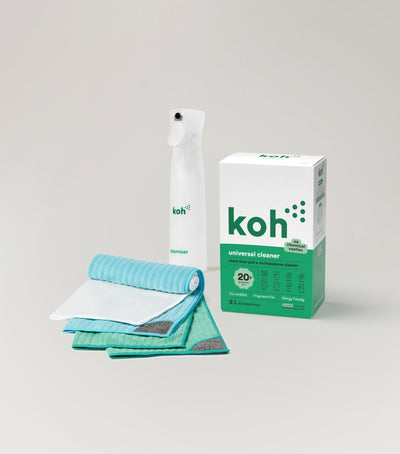

Universal Cleaner Starter Kit

New at Koh? Start with the Universal Cleaner Starter Kit

Pairs Universal Cleaner with Atomiser Spray Bottle and everything you need to get going.

Koh Perks rewards and ways to save

Koh Perks · earn points on every order

Earn points on every purchase, refer a friend, and redeem for discounts on your next order. Find all the ways to save in one place.

Last reviewed: May 2026


Chat with ROS-E

Chat with ROS-E

ROS-E handles most questions in seconds, 24/7.

Prefer a human? Just ask. If ROS-E can't answer, the rest of our team will step in. We usually reply within 1 to 2 business days.

koh update email account, koh change email account, koh email address update, koh delete account, koh account deletion request, koh self service delete account, koh account verification, koh moved email account, koh new email koh, koh privacy account, koh data retention koh, koh dormant account, koh account ownership, koh cant sign in old account, koh email no longer active, koh postcode verification, koh first last name verification, koh full email address verification, koh privacy policy account, koh account stays on file, koh standard retention period, koh account takeover security


Was this article helpful?
Yes
No