
Koh AU logo
Koh AU logo

All articles

Why is an old address showing up at checkout?Updated 9 hours ago

TL;DR: If an old address is showing at Koh checkout even after you've updated it in your account, the address is saved in your Shop Pay wallet (separate from your Koh account). Manage Shop Pay addresses directly at shop.app/account/settings/addresses, edit at checkout, or pick a different payment method to enter a fresh address.


Read on ↓

Why is an old address showing up at checkout?

Shop Pay is a third-party wallet that saves your shipping address separately from your Koh account, similar to how PayPal or Afterpay save addresses on their side. If you've updated the address in your Koh account but Shop Pay still has the old one, checkout pulls the address from Shop Pay (the wallet you've selected for payment) rather than your Koh account. Two ways to fix it: edit the address inside Shop Pay during checkout, or scroll past Shop Pay on the checkout page and pick a different payment method (card, Apple Pay, Afterpay) which lets you enter the address manually.

⚠ Shop Pay stores your address separately

Shop Pay is a third-party wallet (run by Shopify, the platform Koh uses for checkout). It saves your shipping address on its side, similar to how PayPal or Afterpay do. So updating your Koh account address doesn't update what Shop Pay shows at checkout, those are two different stores of the same information.


How do I get the right address showing?

There are two quick fixes. First option: edit the address inside Shop Pay. At checkout, tap the chevron arrow next to the Ship to address, choose Edit or Add a New Address, and save the correct details. Second option: skip Shop Pay entirely. Scroll down on the checkout page to Alternative payment methods, tap to reveal options like Apple Pay, card, or Afterpay, then enter the correct shipping address manually with whichever method you prefer. The first fix saves the address for future Shop Pay use, the second lets you bypass Shop Pay for this order without changing anything in your wallet.

✓ Option 1: Edit in Shop Pay

At checkout, tap the chevron arrow next to the Ship to address, choose Edit or Add a new address, save your correct details. Or manage all your saved Shop Pay addresses directly at shop.app/account/settings/addresses. Either way updates Shop Pay for future orders too.

Only updates Shop Pay. Your Koh account address and any subscription addresses aren't affected.

✓ Option 2: Pick a different payment method

Scroll down on the checkout page to Alternative payment methods. Pick Apple Pay, card, or Afterpay and enter the correct shipping address manually.

Bypasses Shop Pay for this order only. Doesn't change your Shop Pay wallet.


My Shop Pay address still won't update, what now?

If you've tried editing your address in Shop Pay and it still shows the old one, try signing out of Shop Pay, clearing your browser cache, and signing back in. If that doesn't fix it, contact Shop Pay support, they manage your wallet directly. Koh can't see or edit anything in your Shop Pay wallet. As a workaround for placing your current order, use Option 2 above and check out with an alternative payment method to enter the correct address manually.

A couple of quick things to try:

  • Manage addresses directly at shop.app/account/settings/addresses
  • Sign out of Shop Pay, clear your browser cache, then sign back in
  • Try a different browser or device in case it's a cached session issue
  • Contact Shop Pay support directly at shop.app/help, they manage your wallet

Koh can't see or edit anything in your Shop Pay wallet, that's a Shopify-side account. If you need to place an order now, use Option 2 above (alternative payment method) to enter the correct address manually.
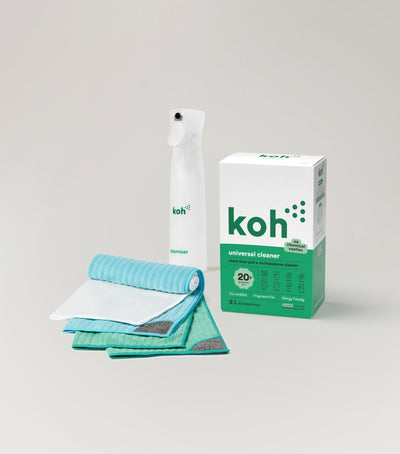


Universal Cleaner Starter Kit

New at Koh? Start with the Universal Cleaner Starter Kit

Pairs Universal Cleaner with Atomiser Spray Bottle and everything you need to get going.

Koh Perks rewards and ways to save

Koh Perks · earn points on every order

Earn points on every purchase, refer a friend, and redeem for discounts on your next order. Find all the ways to save in one place.

Last reviewed: May 2026


Chat with ROS-E

Chat with ROS-E

ROS-E handles most questions in seconds, 24/7.

Prefer a human? Just ask. If ROS-E can't answer, the rest of our team will step in. We usually reply within 1 to 2 business days.

koh old address checkout, koh shop pay address wrong, koh checkout wrong address, koh shipping address checkout, koh address not updating, koh shop pay edit address, koh checkout address stuck, koh delivery address wrong, koh address wallet, koh shop pay shipping, koh checkout address mismatch, koh shop pay vs koh account address, koh subscription address vs shop pay, koh edit address chevron, koh alternative payment methods, koh apple pay card afterpay address, koh shop pay support help, koh clear browser cache shop pay, koh shop pay sign out sign in, koh shop pay wallet, koh shopify shop pay address

Was this article helpful?
Yes
No