
Koh AU logo
Koh AU logo

All articles

How do I update my payment card details?Updated 11 hours ago

TL;DR: Koh doesn't store or manage card details, so we can't update them on your behalf. Update them with the payment provider you used at checkout (Apple Pay, Google Wallet, PayPal, Shop Pay, etc.). For expired cards, your bank usually issues a new card and most digital wallets sync automatically. If you have a Subscribe & Save subscription, update payment directly in the subscription portal.


Read on ↓


Why can't Koh update my card directly?

Koh doesn't store or process full card numbers on our systems. Payment processing is handled by trusted, PCI-compliant providers like Apple Pay, Google Wallet, PayPal, and Shop Pay, your card details are stored securely with those providers, not with Koh. This means Koh can't see, change, or delete your stored card information. To update your card, go to the provider you used at checkout. If you're unsure which provider you used, check your Koh order confirmation email, the payment method appears in the order details.

Koh doesn't store or process full card numbers. Payment processing happens through PCI-compliant providers (Apple Pay, Google Wallet, PayPal, Shop Pay), your card details live with them, not with Koh.

This means Koh can't see, change, or delete your stored card. Updates need to happen with the provider you used at checkout. Not sure which provider? Check your Koh order confirmation email, the payment method appears in the order details.


My card just expired, do I need to do anything?

In most cases, no. When your bank issues a replacement card (expired card, lost card, fraud reissue), digital wallets like Apple Pay, Google Wallet, and Shop Pay typically sync the new card details automatically through the bank's tokenisation system. PayPal also auto-updates linked bank cards in many cases. The new expiry date and CVV update silently in the background, no manual update needed. If you find your saved card isn't working at checkout after a card replacement, that's when you'd manually update with the provider, but for most customers it just works.

✓ Most card updates happen automatically

When your bank issues a replacement card (expired, lost, fraud reissue), Apple Pay, Google Wallet, and Shop Pay typically sync the new card details automatically through the bank's tokenisation system. PayPal also auto-updates linked bank cards in many cases.

The new expiry date and CVV update silently, no action required. If your saved card stops working at checkout after a replacement, that's when you'd manually update, see below.


How do I update with each payment provider?

To update your card with Apple Pay, open the Wallet app on your iPhone, tap the card you want to update, tap the three dots (⋯) in the top right, and tap Card Information. From there you can remove and re-add the card, or contact your bank to push the new card details directly to your Wallet. To update Google Wallet, visit pay.google.com or open the Google Wallet app, tap the card, and tap Edit to update card details. To update PayPal, log in at paypal.com, go to Wallet, click the card you want to update, and click Update or Remove and re-add. To update Shop Pay, go to shop.app, log in, and manage your saved cards from your account settings. For all four providers, the actual card data lives with the issuing bank, so for expired cards the cleanest fix is to ask your bank to issue or push the replacement card to your wallet.

Apple Pay

On iPhone, open Apple Wallet, tap your card, tap the three dots (⋯) in the top right, then Card Information. Remove and re-add the card, or ask your bank to push the new card details to your Wallet.

Google Wallet

Open the Google Wallet app or visit pay.google.com. Tap the card you want to update, then tap Edit to change card details or remove and re-add.

PayPal

Log in at paypal.com, go to Wallet. Click the card you want to update, then click Update, or Remove and re-add the new card.

Shop Pay

Go to shop.app or open the Shop app, log in, and manage your saved cards from your account settings.


How do I update payment for my Subscribe & Save subscription?

For active Subscribe & Save subscriptions, you can update the payment method directly in the Koh subscription portal. Log in to your Koh account, go to your subscription settings, and update the payment method from there. The change applies to your next scheduled delivery and all future cycles. Subscriptions can't use Afterpay or other buy-now-pay-later options, they need a payment method that can charge automatically each cycle, such as a credit or debit card, PayPal, Apple Pay, or Google Pay. If you don't see the option to update payment in the portal, check that you're logged in with the email address tied to the subscription.

For active Subscribe & Save subscriptions, update payment directly in the subscription portal. Log in to your Koh account, go to your subscription settings, and update the payment method from there. The change applies to your next scheduled delivery and all future cycles.

Go to subscription portal

Subscriptions can't use Afterpay or other buy-now-pay-later options, they need a payment method that can charge automatically each cycle (card, PayPal, Apple Pay, Google Pay). If you don't see the option to update payment in the portal, check you're logged in with the email tied to the subscription.
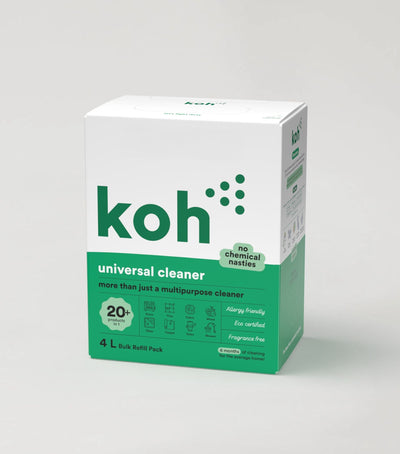

Koh Universal Cleaner

Universal Cleaner

Most-certified product in the Koh range. Subscribe & Save discount available at checkout.

Koh accepted payment methods

All accepted payment methods

Cards, digital wallets, PayPal, Afterpay, plus the full breakdown of what works on subscriptions.

Koh Perks rewards and ways to save

Koh Perks · earn points on every order

Earn points on every purchase, refer a friend, and redeem for discounts on future orders.

Last reviewed: May 2026


Chat with ROS-E

Chat with ROS-E

ROS-E handles most questions in seconds, 24/7.

Prefer a human? Just ask. If ROS-E can't answer, the rest of our team will step in. We usually reply within 1 to 2 business days.

koh update payment, koh change card details, koh payment method, koh subscription payment, koh apple pay update, koh google pay update, koh paypal update, koh shop pay update, koh credit card update, koh billing details, koh payment provider, koh subscription portal payment, koh card expired, koh new card subscribe and save, koh update payment subscribe and save, koh wallet update, koh card replacement, koh tokenisation, koh subscription card change, koh how to change payment, can koh update my card, koh stored card, koh wallet sync, koh apple pay expired, koh google pay expired

Was this article helpful?
Yes
No