
Koh AU logo
Koh AU logo

All articles

What can I redeem my Koh Perks points for?Updated 14 hours ago

TL;DR: Koh Perks points redeem for Koh credit at checkout. 100 points = $5 off, 200 points = $10 off, 400 points = $20 off. Apply your reward when you check out, no codes needed.


Read on ↓

What can I redeem my Koh Perks points for?

Koh Perks points redeem for Koh credit at checkout. There are three reward milestones: 100 points converts to $5 off, 200 points to $10 off, and 400 points to $20 off. Pick the reward that matches your balance, apply it at checkout, and the discount applies to your order. You don't need to copy or enter a code, available rewards show up automatically when you're signed in and reach the checkout page.

100 points

$5 off

your next order

200 points

$10 off

your next order

400 points

$20 off

your next order


How do I apply my reward at checkout?

When you reach checkout signed in to your Koh account, eligible Koh Perks rewards appear automatically as discount options. Pick the reward you'd like to apply and the order total updates immediately. You don't need to copy or paste a code. The reward applies to that single order, not future orders. If you've also got a separate discount code (referral, partnership, etc.) you can apply that too, though some codes can't be combined with Perks rewards depending on the code's terms.

✓ Auto-shows at checkout

When you're signed in and reach checkout, eligible rewards appear automatically as discount options. Pick the one you want and the total updates.

✓ Stack with vouchers (where allowed)

You can also apply separate discount codes (referral, partnership). Some codes can't combine with Perks rewards depending on the code's terms, see using multiple vouchers in one order.


My reward isn't showing at checkout, what's wrong?

If your Koh Perks rewards aren't showing at checkout, the most common cause is that you've selected Shop Pay as the checkout method, which bypasses the standard discount selector. Scroll down and choose a standard checkout option instead of Shop Pay, and your Koh Perks rewards will appear. Also make sure you're signed in to the Koh account that holds the points, and that your balance meets one of the reward thresholds (100, 200, or 400 points).

⚠ Using Shop Pay? That's why

Shop Pay's express checkout bypasses the standard discount selector, so your Koh Perks rewards won't appear if you select it. Scroll down on the checkout page and pick a standard checkout option instead of Shop Pay, your rewards will then show as discount choices.

⚠ A couple of other things to check

Make sure you're signed in to the Koh account that holds the points, and that your balance is at least 100 points. Rewards only appear once you've hit the first milestone.


Koh Perks rewards and ways to save

Koh Perks · earn points on every order

Earn points on every purchase, refer a friend, and redeem for discounts on your next order. Find all the ways to save in one place.
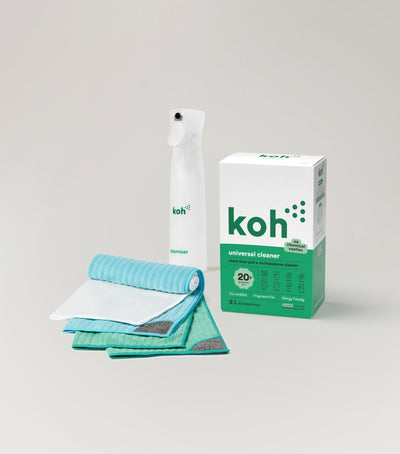
Universal Cleaner Starter Kit

New at Koh? Start with the Universal Cleaner Starter Kit

Pairs Universal Cleaner with Atomiser Spray Bottle and everything you need to get going.

Last reviewed: May 2026


Chat with ROS-E

Chat with ROS-E

ROS-E handles most questions in seconds, 24/7.

Prefer a human? Just ask. If ROS-E can't answer, the rest of our team will step in. We usually reply within 1 to 2 business days.

koh perks redeem, koh perks rewards, koh perks 100 points, koh perks 200 points, koh perks 400 points, koh perks $5 reward, koh perks $10 reward, koh perks $20 reward, koh perks credit, koh perks redeem checkout, koh perks shop pay redeem, koh perks apply reward, koh perks point milestones, koh perks discount checkout, koh perks reward not showing, koh perks shop pay issue, koh perks express checkout, koh perks balance threshold, koh perks 100 dollar five, koh perks reward auto show

Was this article helpful?
Yes
No