
How can I manage my Subscribe & Save subscription?Updated 8 days ago
TL;DR: Manage your subscription anytime in the subscription portal. Skip, reschedule, change frequency, swap address, add a promo code, or cancel yourself. To permanently add a product to your ongoing cycle, email our team and we'll set it up for you.
How can I manage my Subscribe & Save subscription?
✓ Self-serve in the portal
Skip, reschedule, change frequency, swap product, update address or card, add a one-time item to your next order, add a promo code, or cancel. All instant.
⚠ Team action only
Permanently adding a new product to your ongoing subscription cycle. Email us with the product and quantity, we'll update it.
How do I sign in to the subscription portal?
Use the email you signed up with. We'll send a one-time sign-in link to your inbox, no password to remember. Click the link and you're in. The same portal handles every Koh subscription on your account.
What can I do myself in the portal?
Sign in and you can manage all of the following yourself, instantly:
Changes apply to future cycles, past charges aren't affected. There's no penalty for skipping or cancelling.
How do I permanently add a product to my ongoing subscription?
⚠ This one needs our team
Permanent additions to a subscription cycle are the one thing the portal can't do yet. Email us with your account email, the product, and the quantity, and we'll update your subscription so it ships on every renewal from then on.
Looking to add a product just once? You can do this yourself in the portal under your next scheduled delivery, it ships with that delivery only.
How do I cancel my Koh subscription?
Cancel anytime in the portal, no penalty, no minimum order count, no contract. If you change your mind, you can resubscribe from any product page.
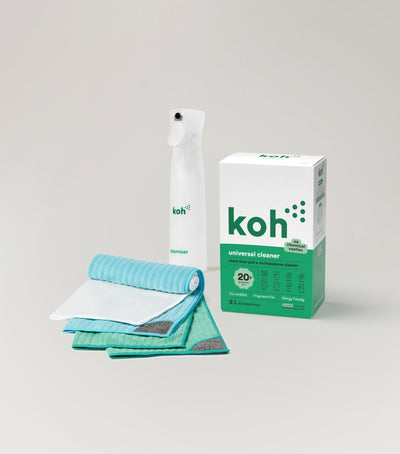
New to Koh? Start with the Universal Cleaner Starter Kit
Pairs Universal Cleaner with Atomiser Spray Bottle and everything you need to get going. Subscribe to the refills once you know you love it.

Koh Perks · earn points on every order
Stack savings on top. Subscribers still earn Koh Perks points on every recurring order, plus referral and birthday bonuses, redeemable for discounts on future orders.
Browse all Subscribe & Save articles
Last reviewed: May 2026 · Koh Australia